The Lightbulb Computer Beats the Headset Vision
The Lightbulb Computer projects interfaces onto your walls and counters. Why projector-based ambient computing beats headsets — and where it fails.
 James Whitfield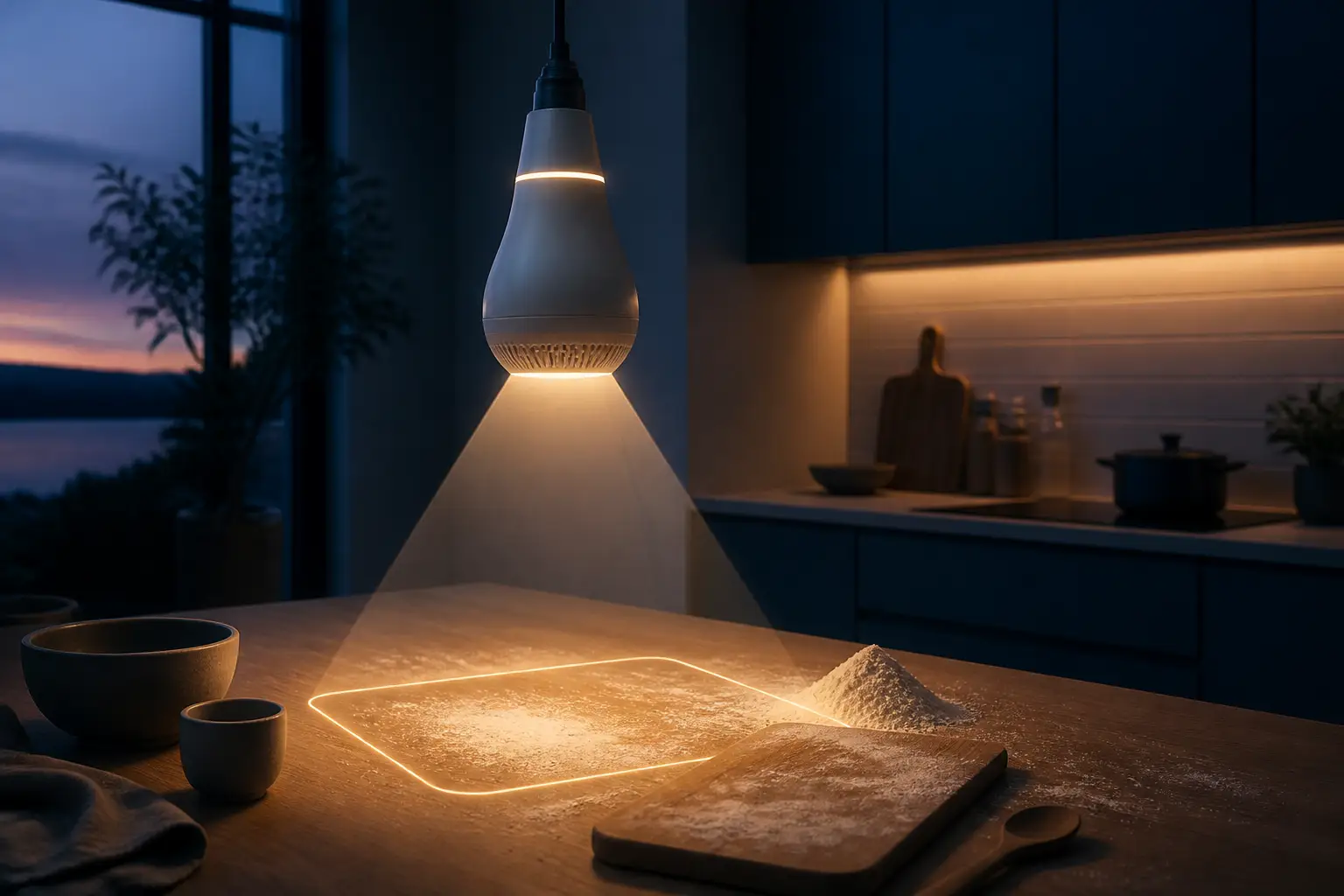
Spatial computing has a marketing problem: every "vision of the future" the industry ships involves strapping a screen to your face. Glasses, goggles, headsets — the pitch is always that you, personally, will wear a computer. A designer named Guillaume Ardaud built something that makes the opposite bet, and it's the most compelling ambient computing demo I've seen in years: a bulb-shaped device that screws into an ordinary Edison socket, watches the room with a camera, listens for your voice, and projects interfaces directly onto the surfaces around you. He calls it the Lightbulb Computer, and honestly, it makes the headset crowd look like they're solving the wrong problem.
The Problem With Putting Screens on Faces
Let's be precise about what we're criticizing, because "screens are bad" isn't an argument. Screens are extraordinary. The problem is the interaction model modern screen computing forces on you, and it's a problem in three layers.
- Personal, by construction. A laptop or phone shows one person one thing. Sharing means rotating the device, huddling, or screen-mirroring to a TV — all awkward, all afterthoughts. Headsets make this worse, not better: two people sharing a virtual object need two headsets running compatible software, and a third person in the room sees two people waving their hands at nothing.
- Attention-hungry. You don't check a recipe on your phone; you unlock it, see a notification badge, and surface four minutes later having read none of the recipe. The device is engineered to keep you inside it.
- Physically hostile. Wet hands, floury hands, a phone balanced on a jar of tomato sauce in the kitchen. Goggles that fog, press on your glasses, ruin your hair, and die after two hours because a face-mounted device has a strict thermal and battery budget.
The headset pitch tries to fix the first problem by making the display follow you everywhere. But it inherits the second, adds a social cost (you look like you're ignoring everyone, because optically, you are), and doubles down on the physical constraints — everything has to be miniaturized to fit on your face, so power, compute, and thermals are all fighting a losing battle.
This is the problem the Lightbulb Computer is actually a response to. Not "we need better AR hardware" but "what if the information just lived in the room?"
Projector Computing: The Failed Attempts Are the Interesting Part
Here's the thing: projecting interfaces onto tables and walls is not a new idea. It's a very old idea that keeps failing, and the failure modes teach us exactly why this attempt is different. The history is worth knowing, because if you've been in this field a while you've watched each wave crash.
Wave one: research lab demos (2000s)
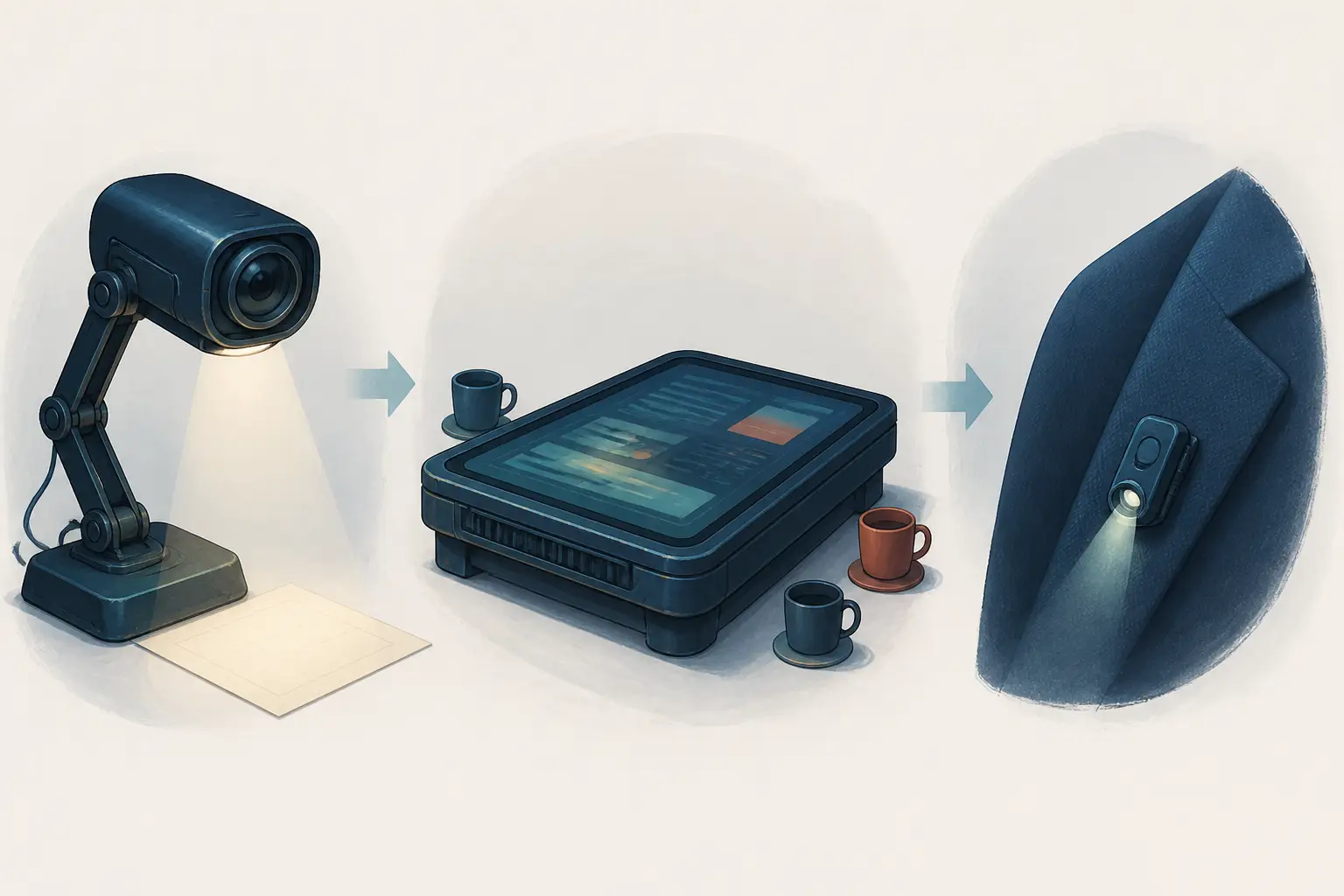
MIT's Media Lab worked the projector-plus-camera angle hard. The I/O Bulb and LuminAR projects — a camera-projector pair in a literal desk-lamp form factor — were demonstrating projected interfaces and gesture input well over a decade ago. Brilliant work, enormous influence, zero consumer impact. Why? The computer vision of that era was barely adequate, projectors were dim, hot, and expensive, and there was no plausible software stack. The interaction concepts were right; everything physical was wrong.
Wave two: the giant table computers
Around 2008–2012, Microsoft shipped the original Surface (a table, not a laptop) and Lenovo experimented with table-sized multitouch PCs. The shared-surface insight was correct — several people around a coffee table, touching the same interface, is genuinely great. It died on price, weight, and the fact that a dedicated furniture-computer is furniture that goes obsolete. You were buying a room layout commitment, not a device.
Wave three: the wearable projectors
Then came the miniaturization play: put the projector on your body. Amazon patented a transform-any-surface projector concept. The Humane AI Pin — a chest-worn laser-projector assistant — shipped in April 2024 and became a cautionary tale within months: dim output, gesture controls that fought outdoors in daylight, severe thermal throttling, and a product that mostly made you miss your phone. The lesson: a projector that lives on your person inherits all the power and thermal limits of face computing, plus a projector's appetite for watts.
Meanwhile, the community projects — Dynamicland in Oakland and its successor Folk — proved the social thesis thoroughly. In Dynamicland, the room is the computer: programs are physical paper objects on tables, cameras watch them, projectors annotate them, and people collaborate around shared space. Talk to anyone who visited and they'll tell you it felt like the future. It just never escaped the building.
What Actually Works: Room-Scale, Socket-Powered, Vision-Native
Look at the Lightbulb Computer's design decisions against that failure history, and you can see each one routed around a known landmine.
- Wall power, not battery. It screws into an Edison socket or sits in a portable base. The Edison socket is the single most ubiquitous powered mounting point in human civilization. No battery budget, no thermal panic about your cheekbone, and — critically — a projector can be given real lumens.
- The room is the display. It's room-scale by default, so shared interaction is the baseline behavior, not a pairing feature. Planning a trip by walking up to a wall-sized map beats two faces in a headset by any social metric you care about.
- Modern computer vision as the input layer. Pointing, hand tracking, recognizing what shelf you're gesturing at — Apple's hand-tracking framework and current vision models have crossed the "good enough to rely on" line only recently. The 2008 versions of this were prototypes fighting their own sensors; this demo runs a consumer 4K laser projector, a webcam, and a Mac.
- Voice as the modality, not the whole UI. You ask, it answers in place — highlight a book on the shelf directly rather than telling you its spine number. The projection closes the loop in the environment itself.
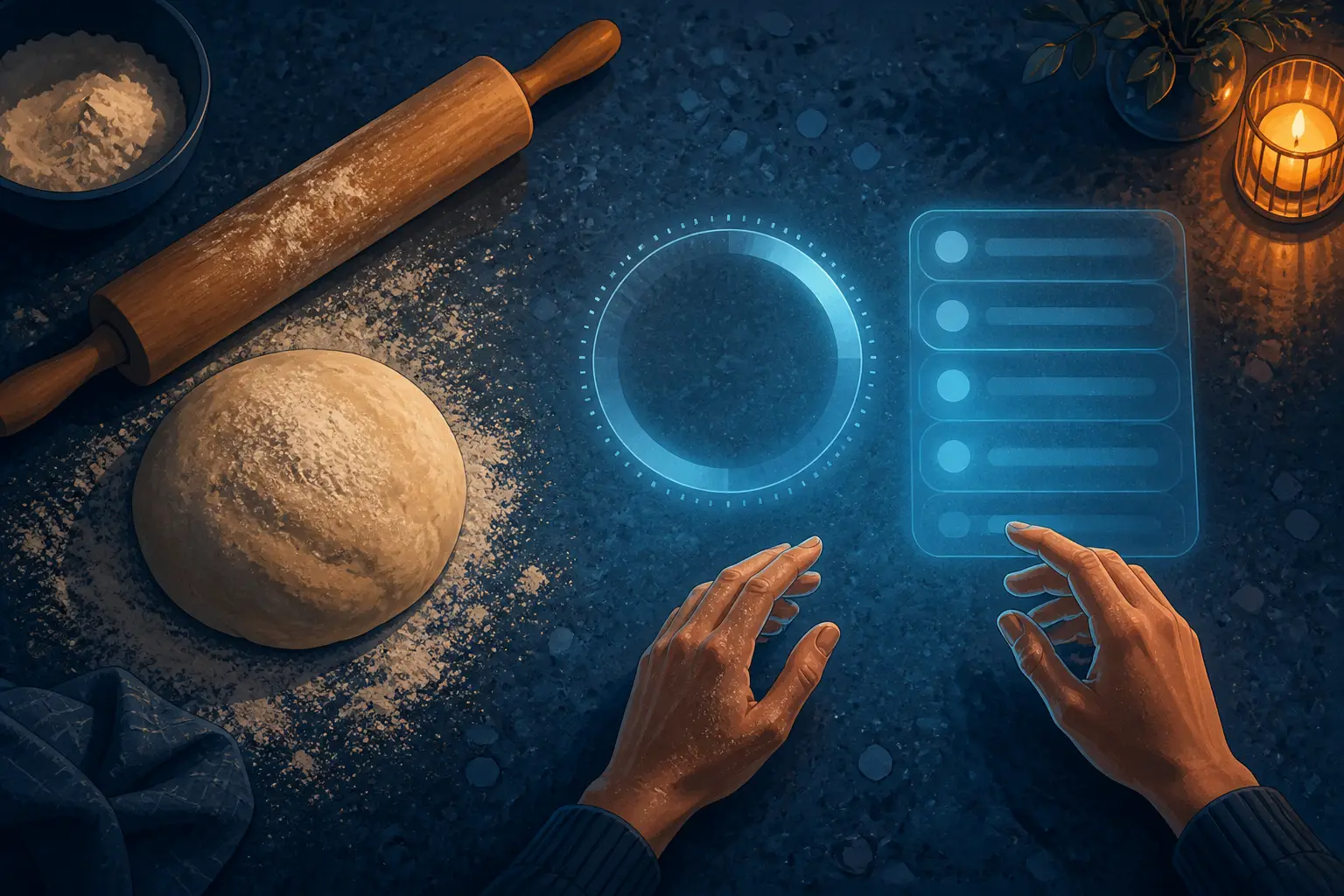
The kitchen demo in particular nails the target scenario. Timer and recipe pinned to the counter, hands covered in dough, nothing to unlock, nothing to hold. That's not a marginal improvement over a phone; it's a different relationship to the machine. It reminds me of what makes building a shell from scratch so clarifying: when you strip away the accumulated layers of a computing environment, you find out which parts were load-bearing and which were just habit. Projector computing strips away the device and finds the useful residue — answers, timers, maps, reminders — and puts that in the room.
There's also a deep historical rhyme here that I can't resist. Early industrial interface design was full of what-if-the-object-is-the-interface experiments — jukeboxes, vending machines, control panels — before the general-purpose screen swallowed every interaction. Ambient projecting computing is oddly a return to that: information attached to the thing or the place where it's relevant, not abstracted into a glowing rectangle you carry.
Design First, Hardware Second
When technical people see this project, the first question is usually about specs. Ardaud's answer — given in the discussion around the project — is the most interesting engineering statement in it: the tech specs aren't the point. The demos run on a Mac, a consumer 4K laser projector, a webcam, and custom projection-mapping and rendering software. The prototype exists to answer a design question: is this interaction plausible and desirable at all? Only after a yes do you work backwards to the hardware.
This is, in my view, exactly the right order of operations, and the opposite of how the industry usually works. The usual playbook is: capability exists (miniaturized displays! waveguides!), so let's build a headset and hunt for the use case afterward. The Humane Pin is the canonical victim of capability-first thinking — technically impressive, experientially pointless. Ardaud's sequence is the one that produced the genuinely transformative products historically: VisiCalc wasn't a spreadsheet hardware demo, it was an interaction so obviously desirable it dragged the PC industry into existence, something we've written about in how VisiCalc made hardware worth buying.
One detail from the community response deserves building into any real version: latency at the voice gesture boundary. When you say "put it here" while pointing, there's a pause while the system processes. The fix suggested — keep a low-framerate rolling video buffer, timestamp the word "here" in the audio stream, and analyze the frame where your hand was actually pointing, rather than where it is when processing finishes — is elegant. You could even project a small confirmation dot at the captured location the instant the utterance is detected, so the user knows they can lower their hand. It's the kind of micro-interaction polish that separates a demo from a product, and it's encouraging that it's a solvable engineering problem, not a research problem.
The Jinn Problem, and Other Honest Objections
Now the objections, because they're substantial and I don't want to write a puff piece.
The sharpest critique I've seen frames it as the jinn problem: this design installs a watchful, always-listening, wish-granting presence in your house, and amplifies its creepiness by letting you talk to it in natural language. A camera in your bedroom and bathroom is categorically different from a phone that lives in your pocket and stays dark until you wake it. That discomfort is not luddism; it's a sensible threat model.
The mitigation path exists but has to be load-bearing, not marketing copy:
- On-device processing only. The moment vision frames leave the house, the device is an instance of the surveillance business model with a nicer lamp shade. One commenter's fear — that a shipped version becomes "cloud-backed and just a better Flock camera" — is the prediction to beat.
- Hardware guardrails, not settings. Hard-wired camera indicator LED, a physical shutter, camera activation only on explicit user action. If the indicator light is software-controlled, it will eventually lie.
- Room discrimination by design. A portable unit you carry to the kitchen and workshop beats six permanently-installed ceiling units that see everything, always.
I'd add a base-rate worry from adjacent history: the track record of ambient consumer sensors and data handling is dismal — devices that promise local processing and quietly phone home are a genre, not an exception. If this ever ships as a real product, the privacy architecture will be the entire ballgame, and "first-order consideration" needs to mean "audited by people who'd love to find it broken."
The second objection is more mundane: projecting on arbitrary homes is hard. Wallpaper, direct sunlight, dark surfaces, cats. The demo works in a controlled environment; real living rooms are hostile lighting environments with variable surfaces. The 4K laser projector helps but it doesn't repeal physics — projected interfaces wash out in bright rooms, period. Where headsets always control the display surface (your retina), the lightbulb rents it from your environment. That's a genuine trade-off, and it constrains this to complementary use rather than replacement. Honestly, that's fine: the phone isn't going anywhere, and nobody sensible is claiming otherwise. The pitch is narrower and stronger: for the dozens of daily moments where you want one piece of information, here, without a device ritual — this wins.
Why This Matters Now, Even If It Never Ships
Even if the Lightbulb Computer stays a prototype forever, it's already done valuable work: it demonstrated that the headset monoculture is a choice, not a necessity. The industry's R&D budget is overwhelmingly pointed at personal, worn displays, and it's easy to let that capital allocation masquerade as inevitability. A single well-executed demo of the alternative reshapes what people ask for.
There's also a lineage worth claiming. The ideas here run through decades of ubiquitous-computing research — Weiser's calm computing at Xerox PARC, Dynamicland's communal rooms, the lab projectors at MIT — and most of it never found a commercial carrier wave. What's changed isn't the vision; it's that the substrate finally caught up. Vision models read scenes in milliseconds. Laser projectors are bright, tiny, and cheap-ish. Voice interfaces, for all their frustrations, work. The Lightbulb Computer is what happens when a good old idea meets good new parts.
My bet: some version of room-scale ambient computing ships within the decade, and it won't look like this prototype — it'll look boring, probably a ceiling fixture from a company that makes thermostats. And it'll arrive, as these things do, through the unglamorous use cases: timers in kitchens, shared maps in hallways, lights you point at. The face computers will keep their niches too. But thirty years of chasing the wearable dream and one bulb screwed into a kitchen socket has done more to convince me the future of computing lives in the room, not on my face.