Encrypted USB Drives: When the Lock Guards Nothing
Lenovo's 'encrypted' fingerprint USB drive turned out to be an unencrypted SD card in a case. Here's how to spot security theater in hardware.
 Elena Vasquez
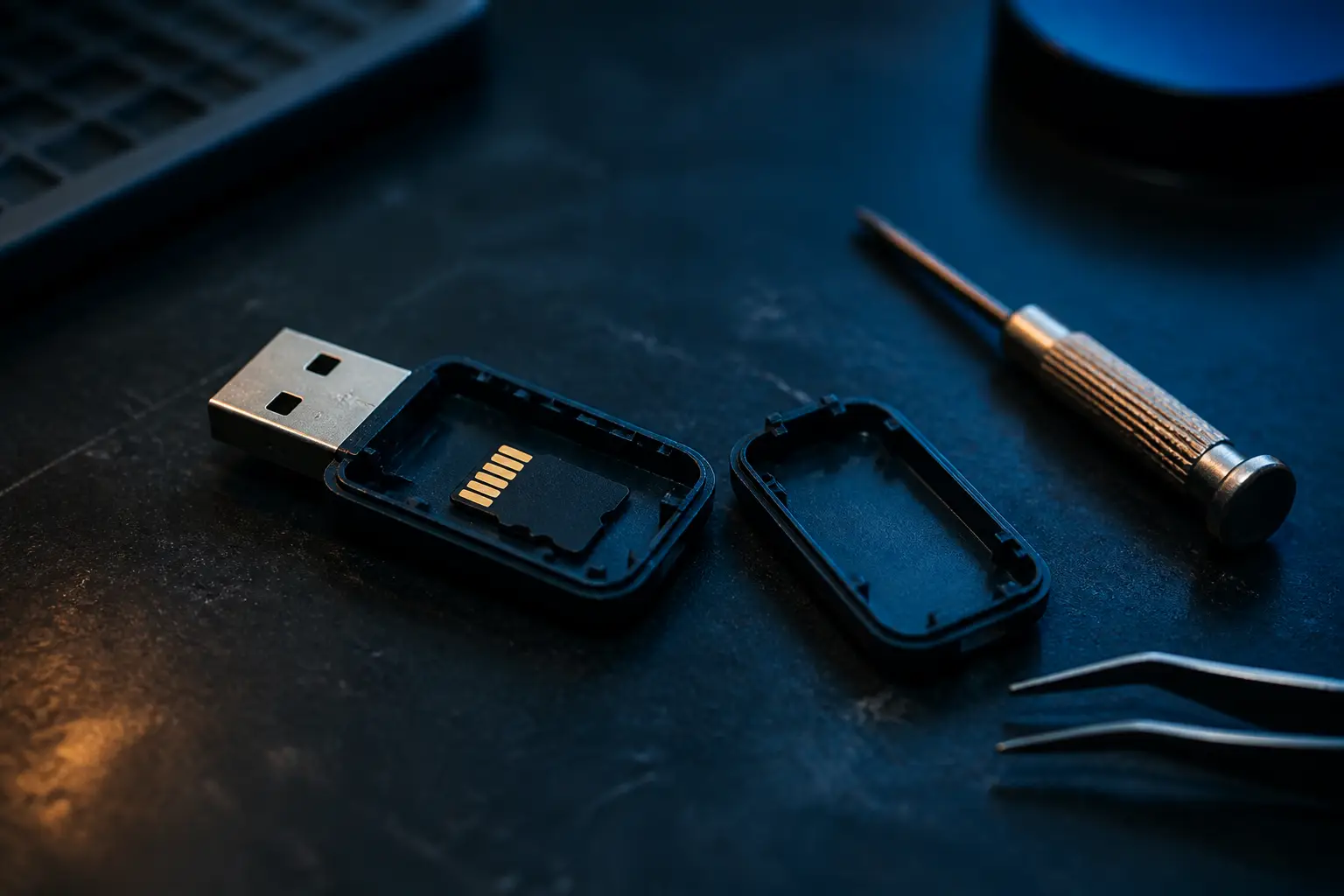
Somewhere in a warehouse right now, there are boxes of USB sticks promising 'military-grade fingerprint encryption' that a twelve-year-old with a spudger could defeat in ninety seconds. Lenovo's FU100 fingerprint drive is the latest example to get torn down in public: crack open the plastic case and inside you find a perfectly ordinary, completely unencrypted microSD card. The fingerprint sensor doesn't unlock the data. It unlocks nothing. It gates a switch that makes the card reader visible to your computer, and the data itself sits on flash in plaintext the whole time.
This isn't a vulnerability. Vulnerabilities are bugs — mistakes in otherwise honest designs. This is a product whose security claims are decorative. And it matters because the people buying these drives are exactly the people least equipped to verify the claims: small-business owners, lawyers, accountants, parents storing scans of passports. They paid a premium for a promise that was never engineered.
What the Fingerprint Sensor Actually Gates
To understand why this design is so damning, it helps to sketch what a real encrypted drive does. In an honest hardware-encrypted device, there's a dedicated controller chip sitting between the host computer and the flash memory. That controller holds the encryption key — ideally derived from your PIN or unlocked by your fingerprint — and every block of data passing through it gets encrypted with AES before hitting the NAND. Pull the flash chips off the board, read them with a chip-off programmer, and you get ciphertext. That's the entire point. The physical memory and the intelligence are coupled through the crypto, so removing the memory removes nothing of value.
The Lenovo FU100 skips all of that. The architecture is roughly this: a fingerprint module, a microcontroller, a USB hub or card reader IC, and a microSD slot. When you enroll a fingerprint, the sensor module stores the template internally — that's standard, and the fingerprint matching itself is probably fine. When authentication succeeds, the microcontroller flips a line that connects the card reader to the USB bus. Fail authentication, and the reader never enumerates. It's a relay with a biometric doorman.
The doorman, however, is guarding a building with no walls. Because the microSD card is a removable, standard component, the attack isn't even an attack — no soldering, no glitching, no side channels. You open the case (plastic clips, maybe a drop of glue), pop the card into any reader, and read everything. The 'encryption' had a blast radius of zero.
It's worth pausing on how the threat model collapses here, because manufacturers of these devices love to talk about threat models in their marketing. The implied story is: you lose the drive, a stranger picks it up, plugs it in, gets nothing without your finger. That story is true for about as long as it takes the stranger to Google 'FU100 teardown' — or just to notice the seam in the case. The realistic adversary for a lost thumb drive isn't a nation-state with an X-ray fab; it's a curious person with a kitchen knife. Against that adversary, this design provides zero protection. The fingerprint sensor is functioning perfectly and protecting nothing, which is the purest possible illustration of a mechanism disconnected from the thing it claims to secure.
If the attacker can remove the storage medium and read it with off-the-shelf tools, your device wasn't encrypted. It was a lock on an open field.
The Key Question Is Literally: Where Does the Key Live?
There's one question that cuts through every marketing claim about encrypted storage, and you should teach it to anyone who asks you for advice: where does the key live, and what does the sensor actually gate? Every answer falls into one of three buckets.
- Key on a crypto controller, data encrypted at rest. The fingerprint or PIN releases a key to a dedicated chip; the NAND holds ciphertext. This is what products like the Kingston IronKey line do, and it's the only design that survives a teardown.
- Key on a controller, but stored or derived badly. The data is nominally encrypted, but the key is burned into firmware, derived from a serial number, or recoverable from the MCU's flash. Better than nothing against casual loss, worthless against anyone with a logic analyzer and a weekend.
- No key at all. The sensor gates enumeration, power, or a hub port. The storage is plaintext. This is the Lenovo design, and it's far more common than buyers realize.
That middle bucket deserves a moment, because it's where even well-known brands have stumbled. Security researchers have spent years pulling apart 'secure' drives and finding AES implementations with the key recoverable from the controller's flash, or authentication you could bypass by shorting a debug pad, or firmware update mechanisms that let you reflash the MCU and extract everything. The University of Cambridge teardown of early IronKey devices is the classic reference here — and notably, it's a story about how hard it is to do this right, not just how easy it is to do it fraudulently. IronKey at least put the effort in. The FU100 never tried.
There's a useful heuristic buried in the three buckets: bucket one requires a vendor to make hard, expensive, checkable claims. AES-256 in XTS mode. Keys generated on-device by a hardware RNG. PIN retry counters that wipe the key after ten failures. Those are statements an engineer can verify or falsify. Buckets two and three hide behind soft language — 'protected,' 'secured,' 'biometric access' — that describes an experience, not a mechanism. When the spec sheet reads like a lifestyle ad, the spec sheet is telling you which bucket you're buying.
Why This Keeps Passing Review
The uncomfortable follow-up is the organizational one. This isn't a sketchy no-name vendor shipping out of a Shenzhen stall — though as some have pointed out, the FU100 barely had a retail presence outside Chinese marketplaces. It's Lenovo, a company that puts its logo on ThinkPads issued to governments and banks, a company that already burned trust once with Superfish. Somewhere in that org chart, this product went through industrial design, firmware review, marketing sign-off, and legal. Either nobody with security knowledge looked at it, or someone did and the decision was made to ship anyway.
Both explanations are plausible, and both are damning in different ways. The first says security review is a formality. The second says it's a negotiation that marketing wins. I've covered enough of these stories to believe it's usually a third thing: the product is designed by an ODM, rebadged by the brand, and nobody in the chain feels responsible for the claims on the box. The marketing copy says 'encrypted' because the category leader's copy says 'encrypted.' The word diffuses through listings the way 'military-grade' does — a vibe, not a specification.
The ODM rebadging pipeline explains a lot once you understand it. A white-label manufacturer designs a fingerprint-gated card reader — a genuinely fine product for what it is, maybe aimed at the 'keep my kids off my files' market — and offers it to brands with a menu of enclosures and logos. The brand's product manager writes listing copy by cribbing from competitors. Nobody in this chain is a cryptographer, and nobody's job description includes 'verify the cryptographic claims.' Legal reviews for trademark risk, not for whether AES exists. The result is a game of telephone where 'biometric access control' becomes 'fingerprint encryption' somewhere between the datasheet and the product page, and no single person ever typed a falsehood they recognized as false. That's worse than malice in a way, because there's no villain to fire — just a process that reliably manufactures fake security at scale.

How to Actually Verify an Encrypted Drive
You don't need a lab to sanity-check most of these products. A few questions, asked before purchase, filter out the worst offenders.
First, look for FIPS 140-2 or 140-3 validation with an actual certificate number you can look up on NIST's CMVP database. Not 'FIPS compliant' — that phrase means nothing, and vendors use it precisely because it sounds like the real thing while committing them to nothing — but a certificate listing the exact product and firmware version. Real crypto modules cost vendors real money to validate, often tens of thousands of dollars and months of lab time, which is exactly why it correlates with real crypto. Fraud is cheap; certification is not.
Second, check whether the vendor publishes anything about the architecture. Serious manufacturers will tell you the encryption engine is on the controller, that keys are generated on-device, that the host never sees the key. Vague language about 'biometric protection' and 'secure access' with no mention of AES, key derivation, or on-device crypto is a red flag — it's describing an access gate, not encryption.
Third, the nuclear option: search for teardowns. The security community is gloriously willing to destroy expensive gadgets for our collective benefit. If a $90 'encrypted' drive has been on the market for two years and no one has posted die shots or a board trace, that silence is itself information — it usually means nobody in security research considered it worth the purchase price.
There's a fourth check that's cruder but surprisingly effective: the price-to-claim ratio. A genuine hardware-encrypted drive carries a real BOM cost — a secure MCU, validated firmware, sometimes an epoxy-potted enclosure to resist chip-off attacks. When a 128GB 'military-grade encrypted' fingerprint drive sells for less than a plain 128GB drive from a reputable brand, the math is telling you the encryption was free, and encryption that costs nothing is worth exactly that. Suspiciously cheap security claims deserve the same reflex as suspiciously cheap 'genuine' Apple chargers: the component that matters is the one they skipped.
The Case for Not Trusting the Hardware at All
Here's my actual position, and I'll own the trade-off: for most people, hardware-encrypted drives are the wrong product category entirely. The right answer is software encryption on cheap, commodity storage. A $15 flash drive plus VeraCrypt, or a LUKS container on Linux, or a simple age-encrypted archive, gives you cryptographic guarantees that are publicly auditable, implemented in code that thousands of people have read, and completely independent of whether some ODM's microcontroller does what the box says.
The objection is always usability — and it's fair. VeraCrypt containers confuse people. Lawyers and accountants won't do it reliably, which is how sensitive client files end up on unencrypted sticks in the first place. This is a real failure of our tooling, and I've written before about how UX anti-patterns quietly undermine security. But the answer to 'good crypto is hard to use' is not 'buy fake crypto that's easy.' It's to demand better defaults: OS-level encrypted containers that mount with a password, file managers that offer encryption on right-click, IT departments that pre-provision drives properly.
There's also a maintenance argument people miss. A software-encrypted container on commodity hardware is replaceable forever: lose the drive, buy another, restore from backup, done. A hardware-encrypted drive is a singleton — if the controller dies, if the vendor abandons the unlock utility (which usually only runs on Windows, and only on versions they bothered to support), or if the company folds, your data's availability depends on a supply chain you don't control. We've collectively learned this lesson the hard way about trusting opaque platform components to keep working. Proprietary crypto appliances fail the same way, just more quietly.
If you do need a hardware device — say, for an air-gapped transfer workflow or because compliance language demands FIPS-validated modules — then buy from the small set of vendors whose products have survived independent scrutiny, and verify the certificate yourself. Treat the purchase like you'd treat any other trust decision in the stack. The same skepticism we (eventually) learned to apply to firmware, supply chains, and marketplace extensions in our editors applies double to a black box that claims to do cryptography invisibly.
Security Theater Has a Body Count of Trust
The phrase 'security theater' usually gets aimed at airport lines, but this is its purest form: a control that exists to make the user feel protected while providing no protection at all. And theater is arguably worse than nothing, because nothing at least tells you the truth. Someone who knows their drive is unencrypted might password-protect the files, might not leave it in a taxi, might think twice about what's on it. Someone holding an 'encrypted' drive relaxes. The product doesn't just fail to reduce risk — it actively inflates it by changing behavior.
That's the real cost of stories like this. Not that one bad SKU exists — the market has always had bad SKUs. It's that every exposed fake teaches buyers that 'encrypted' is a marketing word, eroding the signal for the vendors who genuinely do the engineering. When a Kingston IronKey and a fingerprint-gated SD card reader sit side by side in a search result at similar prices, wearing identical adjectives, the honest product is competing against a lie it can't disprove from the listing page.
Regulators could fix some of this, and occasionally they do — consumer protection agencies have gone after deceptive security claims in software before, and 'encrypted' on a box containing plaintext storage is about as clear-cut a false claim as exists. But enforcement is slow and jurisdictional, and the listing gets cloned to a new storefront faster than any complaint moves. The faster immune system is the one already working: researchers with screwdrivers, and buyers who've learned to wait for the teardown before trusting the adjectives.
So the takeaway isn't 'Lenovo bad,' though Lenovo deserves the reputational hit and the recalls that should follow. It's that in hardware security, the teardown is the spec sheet. Until a device has been opened, traced, and read out by someone who doesn't profit from its sale, 'encrypted' is a claim, not a property. Buy accordingly — or better, encrypt it yourself and stop trusting the plastic.